
 AI Tools
 Health
 Math
Math Everyday Life
 Finance
 Physics
 Chemistry
 Statistics
 Construction
 Pets
Pets Time & Date
 Conversion Calculator
 Sign In
Pages
Category
Follow Us On:
Pages
Category
Follow Us On:
Select shape, enter the required dimensions, click “Calculate”, and see the area along with a detailed step-by-step solution.
Related
This area calculator helps you find the area of a wide range of geometric shapes, including squares, rectangles, triangles, circles, trapezoids, and more. Each result displays the formula used, step-by-step calculations, and flexible unit options (cm, m, ft, in, etc.), making it ideal for students, engineers, and professionals working with geometry. It is designed to provide fast and accurate results while giving you a clear understanding of how each area is calculated.
Follow these steps:
Choose the geometric shape from the drop-down menu for which you want to find the area.
Input the dimensions of the selected shape (such as length, width, radius, or height) and choose the units for these measurements (mm, cm, m, ft, in, etc.).
Click on the Calculate button to get the area. The calculator will also show the step-by-step calculation and the formula used.
Area is the measurement of a space enclosed by a two-dimensional shape. It shows the actual size of the shape and indicates the surface it covers. For three-dimensional shapes, you can use our surface area calculator.
In the International System of Units (SI), the area is expressed in square meters (m²). Other units are also commonly used:
A square has equal length and width. Insert the values in the formula:
Square Area = a × a = a²
a = Length of the square side
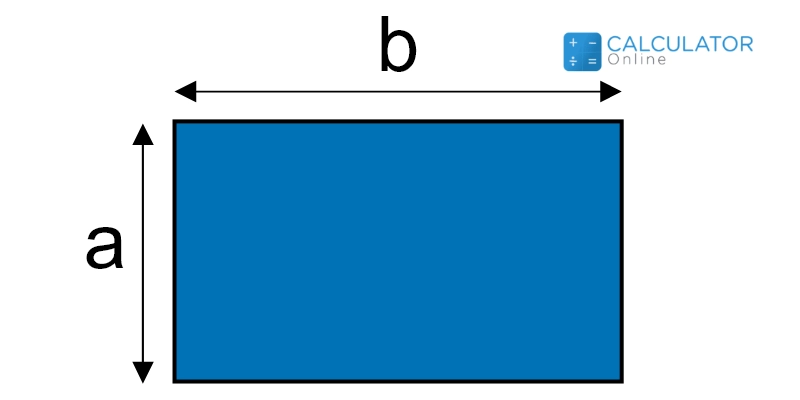
The area of a rectangle can be calculated using the formula:
Area of a Rectangle = length × width = a × b
The formula depends on the parameters provided:
Triangle Area = (b × h) / 2
Triangle Area = 1/2 × a × b × sin(γ)
Area = √[s(s − a)(s − b)(s − c)]
where s = (a + b + c) / 2
Triangle Area = a² × sin(β) × sin(γ) (2 × sin(β + γ))
Using these formulas, you can easily calculate the area of a triangle based on the information you have. If these formulas look difficult to remember, simply use our triangle area calculator. It supports all these formulas, allowing you to calculate the area of a triangle accurately and instantly.
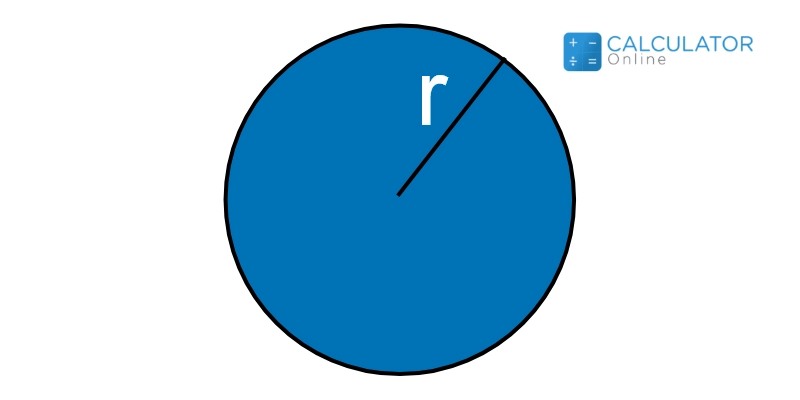
This is one of the most common and widely used figures in geometry. You can calculate the area of a circle using the formula:
Circle Area = π × r²
If you are working with a circular shape and want to analyze its area and properties, then our circle area calculator is the perfect tool for you.

The formula to find the area of a semicircle is:
Area of a Semicircle = (π × r²) / 2
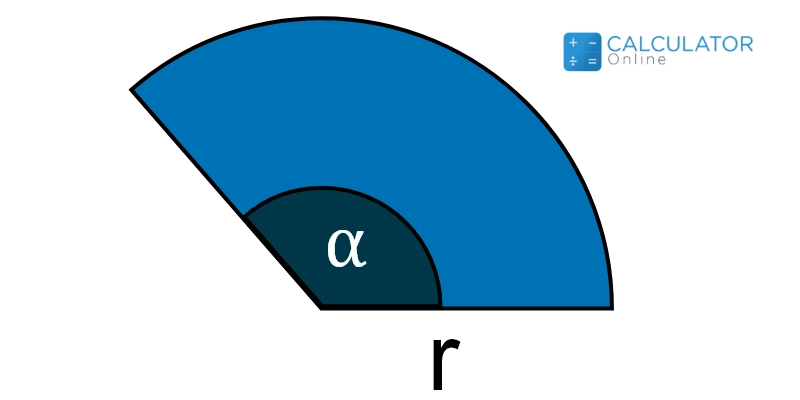
A sector is a measurement of a specific part of a circle. And if you wish to calculate its area, then you can follow up the formula given as:
Area of a Sector = r² * ? / 2
You can also employ the area of a sector calculator to determine the area and other crucial parameters of a circle sector.
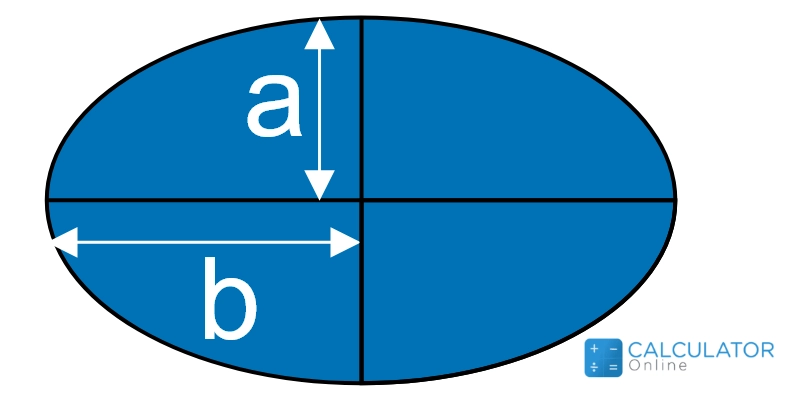
Now as you better know that both circle and ellipse are identical in shape. But when you encounter area calculation for ellipse, then you must consider the length of the major and minor axis instead of radius. This is given as:
Area of an Ellipse = π ∗ a ∗ b
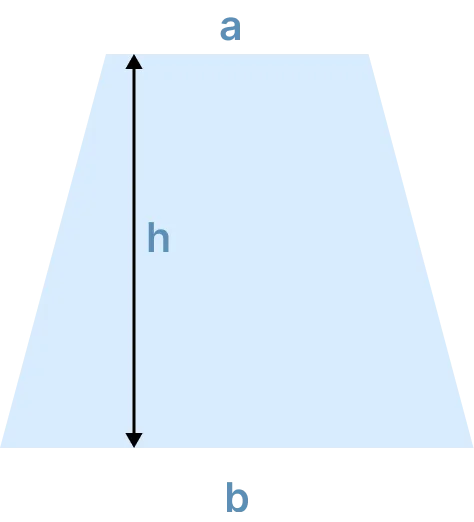
To find the area of a trapezoid, you need to recall the equation as:
Area of a Trapezoid = (a∗b) * h/2
Now here arise three different cases like that of triangle and are given as follows:
If height and Bass are Provided:
Area of a Parallelogram = a * h
If Two Sides and Angle Between them are Provided:
Area of a Parallelogram = a * b * sin (?)
If Diagonals and Mutual Angle Is Given:
Area of a Parallelogram = a * b * sin (θ)
Moreover, you can also explore a parallelogram by using the online parallelogram calculator.
Get going through the area formulas to find the area of the rhombus as follows:
If Side and Height are Given:
Area of Rhombus = a * b
If Diagonals are Given:
Area of a Rhombus = (a * b) / 2
If One Side and Any Angle Is Given:
Area of a Rhombus = a^2 * sin (?)
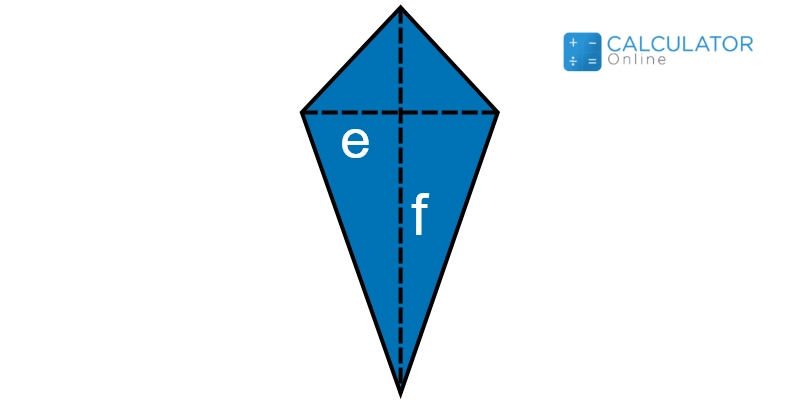
Here we have a couple of formulas that are used in certain condition where you are given with different parameters for area calculations:
If Diagonals are Given:
Area of a kite = (a * b) / 2
If Two Sides and their Mutual Angle Is Given:
Area of a Kite = a * b * sin (?)
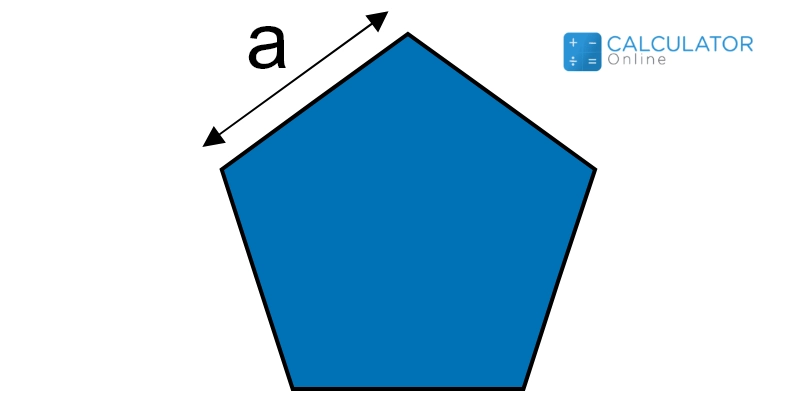
The following expression lets you calculate area of any pentagon:
\( Area of a Pentagon = a^2 * \frac {\sqrt {(25 + 10 \sqrt (5))}}{4} \)
Where;
Go by considering the equation mentioned as under to calculate area of a regular hexagon:
Area of a Hexagon = 3/2 * √3 * a^2
Where;
However, we recommend you utilise our free area of shaded region calculator to determine the area of a hexagon.
.webp)
As you know annulus is a ring shaped figure. And in this kind of figure, we have a couple of circles, one having radius R and other having radius as r. Now you can calculate area of a shape like an annulus by subtracting the area of the smaller circle from that of the bigger one.
Area of an Annulus = pi R² - pi r²
Area of an Annulus = π (R² - r²)
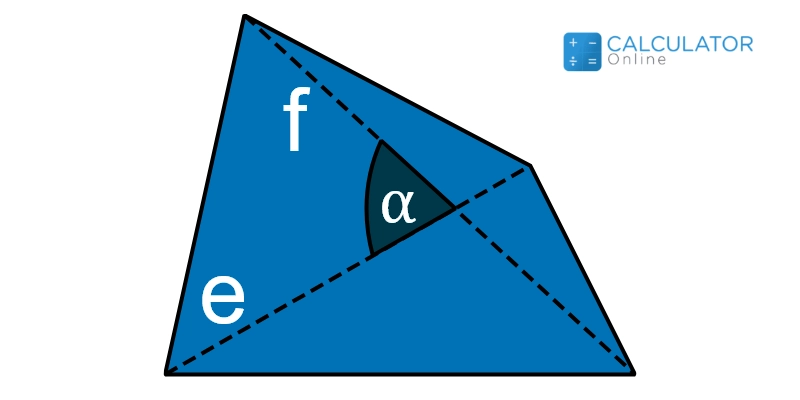
Like triangle area, the area calculation for quadrilateral can also be performed by using the various formulas. Among these, the most effective and handy is given as follows:
Area of a Quadrilateral = a * b * sin (?)
Where;
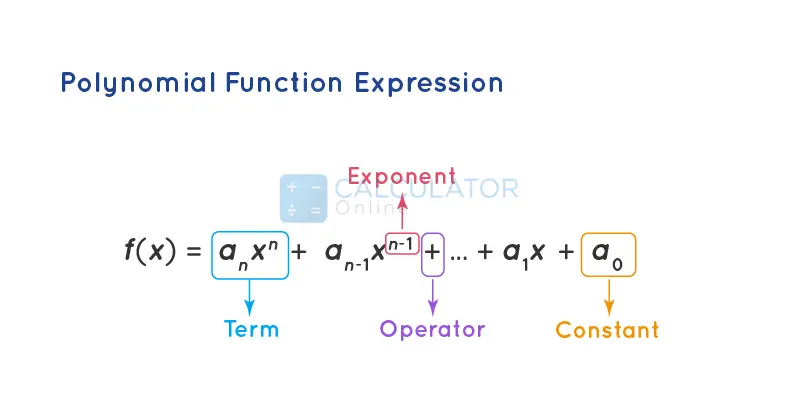
Get going to explore the area of a polygon by considering the equation:
\( Area of a Regular Polygon = n * a^2 * \frac{cot \left( \frac{\pi}{n} \right)}{4} \)
Also, we have developed the polygon calculator as well that lets you examine and calculate all particular parameters of a polygon accurately and flawlessly.
Follow the guideline arranged below to use this land area calculator.
The free area of a composite figure calculator does the following computations:
Well, it’s pretty simple. What you need to do is to divide the irregular figure into common shapes as described in the content above. After you are done with this, you can calculate the areas of these geometrical shapes easily by this irregular shape area calculator rectangle. And once it is completed, simply add all tiny areas and you will get the overall area of the shape.
Among quadrilaterals, square is the one having the largest area calculations. You can also verify it by this free area of a rectangle calculator as rectangle is quite similar to square.
A geometrical figure with no equal side is known as scalene quadrilateral. And you can find the area of this particular shape by employing our best find the area of the shaded region calculator.
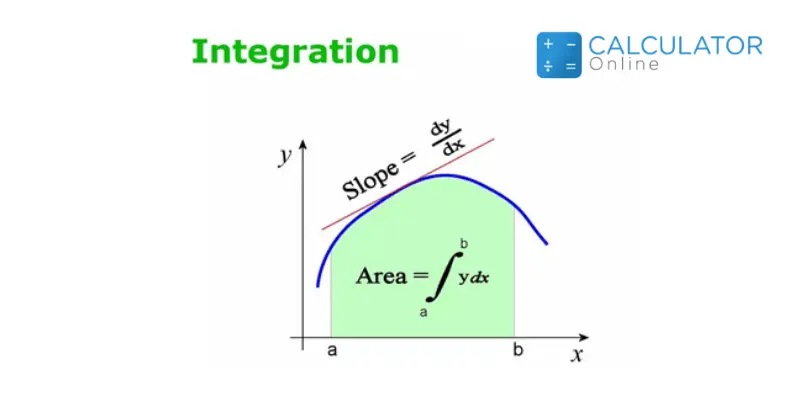
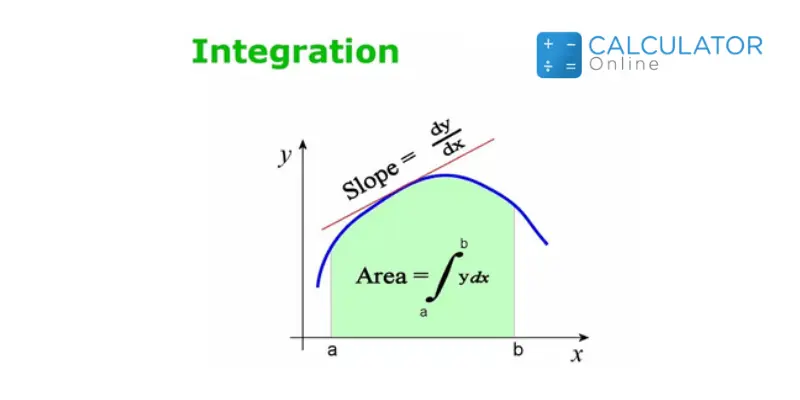
Well, it’s very simple! What you need to do includes a couple of factors. One is the manual calculations of the area by indefinite integral simplification. The other one is the use of the area under the curve calculator that is the best way considered so far.
It’s hectogon having 100 sides of almost equal lengths.
Among all geometrical figures, the circle is the one having the largest area measurement with perimeter being provided.
Below we have the formula that helps you calculate the area of the cube:
Area of a cube = Length of side * 6
No doubt it is hard sometimes to calculate the area of any irregular shape. This is because not everyone is capable of estimating the right dimensions of complicated figures or land areas. But to cope with the situation, we have developed this find the area calculator online so that you people may not feel any hurdle while calculating the area of the irregular figures.
From the source of Wikipedia: Geometry, Axioms, Objects, Congruence and similarity, Contemporary geometry, Applications,
From the source of Khan Academy: Unit squares, Measuring area with partial unit squares, Creating rectangles
From the source of Lumen Learning: Area of Irregular Figures, Surface Area of Rectangular Solids, A Bit of Geometry, Similar Triangles
Related
Add this calculator to your site.
×Just copy a given code & paste it right now into your website HTML (source) for suitable page.
Preview:



Easter into Action, Save With Satisfaction
UPTO
50 %
OFF
Give Us Your Feedback
Share Result
Area Calculator

Links
Home Conversion Calculator About Calculator Online Blog Hire Us Knowledge Base Sitemap Sitemap TwoEmail us at
Contact Us© Copyrights 2026 by Calculator-Online.net
How was your experience today?
Not now
Awesome! Would you mind sharing that on Trustpilot?
Your review helps others find a tool that actually works.
Write a Review on TrustpilotNot now
Sorry to hear that
Tell us what went wrong — we read every message.
Not now
Thanks for your feedback!
We'll use it to make things better.
